
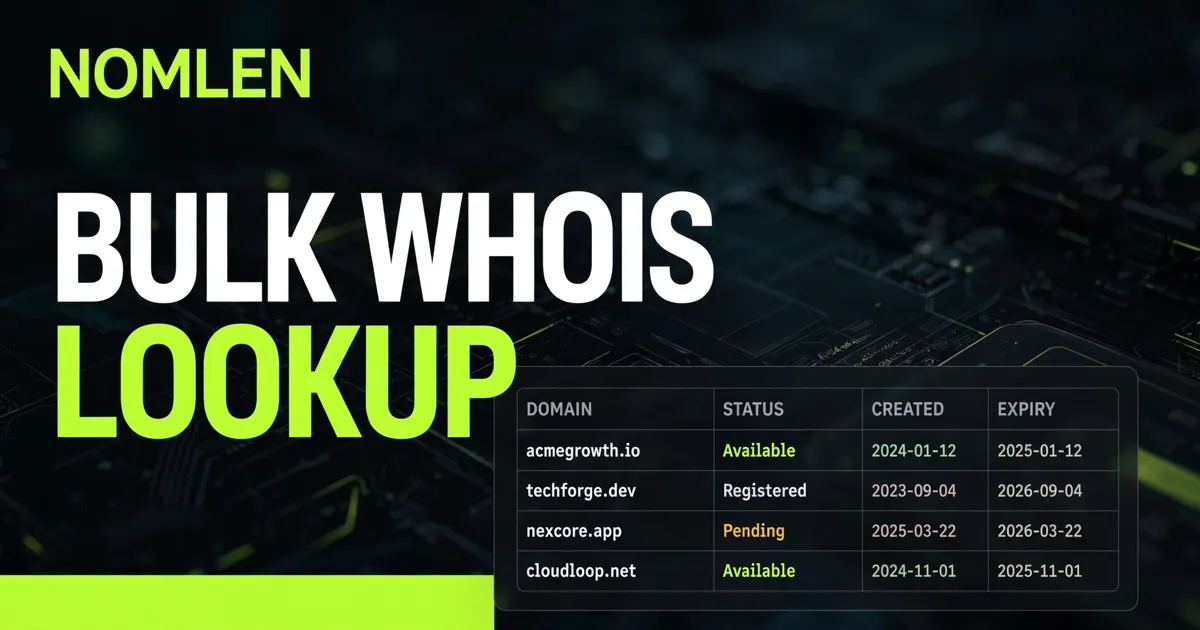
One Domain Is a Lookup. One Hundred Domains Is a System.
Checking a single domain is easy: type it into a lookup tool, read the registrar, the creation date and the expiry date, and move on. Checking one hundred domains that way is a different job entirely. Paste them one by one and you will spend an afternoon on copy-paste, hit a rate limit halfway through, and end up with a pile of screenshots instead of a usable list.
A bulk WHOIS lookup solves the volume problem, but only if you treat it as a workflow, not a bigger search box. Portfolio owners, brand-protection teams, investors and security teams all follow the same pattern: clean the list first, run it in batches, keep only the fields that drive a decision, and triage the results into actions.
If you only need to check one domain right now, use Nomlen's free WHOIS checker. If you have a list, keep reading.
What a Bulk Lookup Actually Returns
For every domain, a bulk lookup returns the same public registration record a single lookup would — it just returns it for all of them in one run, in a format you can sort and filter. Most of the record is noise. The fields that change a decision are few:
- Registered or available. A missing record is itself an answer: the name is not currently registered, though reserved and premium names are exceptions, so treat it as a lead, not a guarantee.
- Registrar. Tells you who to contact for a transfer, a purchase enquiry, or an abuse report — and whether your own portfolio is scattered across more registrars than it should be.
- Creation date. A domain registered last week and a domain registered ten years ago are different risk profiles, whether you are buying, blocking, or investigating.
- Expiry date. The single most actionable field in portfolio work: it drives renewal queues, backorder decisions, and drop-catching watchlists. Our guide to how expired-domain backorders work explains what to do when that date is close.
- Status codes. Codes such as clientTransferProhibited tell you a transfer is locked, while serverHold or pendingDelete tell you the domain is not in a normal, tradable state.
- Nameservers. These identify the DNS host, which is often different from the registrar — useful when you are trying to work out who actually runs a site.
One field disappoints almost everyone first time: the registrant's name. Since GDPR took effect in May 2018, most gTLD records redact personal data by default — permanent ICANN policy, privacy add-on or not. A bulk lookup will not reveal a hidden owner, but dates, registrar, status and infrastructure are usually enough to decide the next step. Legitimate requesters needing non-public data use ICANN's Registration Data Request Service (RDRS) or contact the sponsoring registrar. Since 28 January 2025, RDAP has been the definitive source for gTLD data — see our RDAP vs WHOIS comparison.
The Four Ways to Run 100 Lookups, Compared
There is no single best method — it depends on frequency, list cleanliness, and whether results must land in a spreadsheet or another system.
Method | Best for | Speed for 100 domains | Cost signal (published pages) | Watch out for |
|---|---|---|---|---|
Manual, one by one | Under 20 domains, one-off checks | Slow — an afternoon for 100 | Free | Copy-paste errors; no sortable output |
Hosted bulk lookup tool | Occasional lists up to a few hundred | Minutes, in one upload or paste | Often free for small lists; paid tiers for larger ones | Per-run caps; export format may need cleaning |
RDAP script (DIY) | Recurring portfolio monitoring | Minutes, fully automated once built | Free, apart from your time | Rate limits and 429 responses; per-registry quirks; thin .com/.net records need a second registrar hop |
Paid WHOIS API | Thousands of domains, or lookups inside another product | Fastest at scale; bulk endpoints accept large batches | Whoxy lists 5,000 queries for $10; WhoisFreaks offers 500 free credits on signup; WhoisXML API's bulk endpoint accepts up to 10,000 domains in one call | Cost is per domain, not per batch — a bulk call of 100 still costs 100 credits on most APIs |
Note the last row carefully: on paid APIs, "bulk" buys speed and one consolidated job, not a discount. WhoisXML API's bulk documentation states 100 single calls and one bulk call of 100 cost the same; the value is latency and rate-limit consolidation. For a small, infrequent list, a free hosted tool wins on price.
The 5-Step Bulk Workflow That Actually Works
Step 1: Clean the list before you run anything
Most bulk failures are input failures. Lists copied from emails and spreadsheets typically contain URLs instead of domains, www. prefixes, trailing slashes, duplicates and typos that return as "not found". Normalise every entry first: lowercase, no protocol, no www., no path, no trailing dot, one domain per line. Then deduplicate — duplicates are the commonest way to pay twice on a paid API. Finally, split mixed lists by purpose: your portfolio, domains you want to buy, and domains under investigation need different triage.
Step 2: Choose the method by frequency, not by fashion
If this is a one-off list of 100, use a hosted bulk tool and skip the engineering. If you will repeat this monthly — a renewal audit, for example — invest the hour in a small RDAP script that reads your list, queries each registry's RDAP endpoint (found via IANA's bootstrap registry), and writes a CSV. If the list is thousands of domains, or the results must flow into a CRM, a security tool or a monitoring dashboard, use a paid API: that is the point at which rate-limit handling, parsing and uptime stop being worth doing yourself.
Step 3: Run in batches and respect the throttle
This is where first attempts break: a run works for fifty domains, then errors appear as registries throttle the client. Keep concurrency low per server, honour Retry-After headers on 429 responses, and pause between batches. A ten-minute run with pauses beats a two-minute run that gets blocked mid-list. Cache results too, so a re-run only re-queries records you actually need fresh.
Step 4: Keep only the columns that drive a decision
For most jobs, these columns are enough:
Column | What it decides |
|---|---|
Domain, registrar, creation date, expiry date, status, nameservers | The core record — keep for every domain |
Days to expiry | Renewal queue: under 30 days is urgent, under 90 days is a watchlist |
Registered? (yes/no) | Availability shortlist for unregistered names |
Owner / action | Who on your team owns the next step for this domain |
Notes | One line: renew, backorder, contact owner, block, ignore — and why |
Step 5: Triage into actions the same day
A result sitting in a downloads folder is clutter, not an audit. Sort by days to expiry first: anything within 30 days gets renewed or deliberately allowed to lapse. Sort by status next — locked domains need a different conversation from transferable ones. For the availability shortlist, confirm names through Nomlen's bulk domain search: an RDAP 404 is a strong hint, but reserved and premium names still exist.
Three Real Jobs, Three Different Triage Rules
Auditing your own portfolio: sort by expiry, then by registrar. The findings that matter are domains expiring soon that nobody owns internally, and a portfolio spread across so many registrars that renewals get missed. Consolidating registrars is a separate job — see our guide to transferring a domain to a cheaper registrar — but the bulk lookup is how you discover the mess.
Brand protection: sort by creation date, newest first. A lookalike registered last week with nameservers pointing at a live phishing kit matters far more than one parked for years. Cross-check nameservers and registrar against known abuse clusters before escalating.
Buying and due diligence: expiry date and status codes matter most. A domain expiring in two weeks with a transfer lock is not a quick purchase, however good the name. If the name you want is taken, our guide to what to do when your .com is taken covers the seven realistic alternatives.
What Bulk Lookup Cannot Do
- It cannot reveal a redacted owner. GDPR redaction applies to bulk results exactly as it does to single lookups. Anyone selling "unredacted bulk WHOIS" for ordinary gTLDs is selling something you should treat with suspicion.
- It cannot prove a domain is available. A missing record is a strong hint, not a registration guarantee. Confirm through a registrar or availability checker before spending money on branding around a name.
- It cannot cover every country-code domain cleanly. Country-code registries set their own policies outside ICANN's gTLD contracts: some run RDAP, some still run only WHOIS, and some publish far less data. Expect gaps on ccTLDs and check the registry's own lookup service for those names.
- It cannot stay fresh by itself. Registration data changes — domains expire, transfer, and lapse. A bulk result is a snapshot dated the day you ran it. For a portfolio, schedule the re-run; for an investigation, note the date on the export.
Done right, a bulk lookup turns a hundred-domain afternoon of clicking into a ten-minute run and an actionable spreadsheet. Clean the list, batch the run, keep the decision columns, triage the same day.
Frequently Asked Questions
How many domains can I check in one bulk WHOIS lookup?
It depends on the tool. Hosted tools commonly cap a single run at a few hundred domains, while paid APIs accept far larger batches — WhoisXML API's bulk endpoint, for example, accepts up to 10,000 domains in one call. Split very large lists into batches anyway: partial failures are easier to recover from.
Is bulk WHOIS lookup free?
For small, occasional lists, usually yes: hosted tools and RDAP scripts cost only your time. Paid APIs charge per domain, not per batch, so 100 domains cost 100 credits even in one bulk call. Whoxy lists 5,000 queries for $10 and WhoisFreaks offers 500 free credits on signup — check current pricing before a large run.
Why did my bulk lookup stop halfway through?
Almost always a rate limit: services return HTTP 429 when queried too fast and may temporarily block the source IP. Slow down, keep concurrency low, honour Retry-After headers, and resume where the run stopped.
Can a bulk lookup tell me who owns a domain?
Only what is public. For most gTLDs, registrant personal details are redacted under post-GDPR ICANN policy, so a bulk lookup returns the registrar, dates, status codes and nameservers, but not the owner's name, address or email. Organisation names sometimes appear for company registrations. For non-public data, legitimate requesters use ICANN's Registration Data Request Service or contact the sponsoring registrar.
What is the difference between a bulk WHOIS lookup and a bulk domain search?
A bulk WHOIS lookup returns registration records for domains that may already be owned — registrar, dates, status. A bulk domain search checks whether names are available to register, across many TLDs at once. Use the lookup to audit or investigate existing domains; use the search when you are choosing a new name.
Do I need an API key for bulk lookups?
Not for hosted tools or for public RDAP queries, which need no key. You need a key — and a paid plan at volume — only when you use a commercial WHOIS API, or when you need authenticated, tiered access to non-public data through RDAP.
How should I store bulk WHOIS results?
As a dated spreadsheet, one row per domain, with only the decision columns: domain, registrar, dates, days to expiry, status, nameservers, owner and a one-line action.
How often should I re-run a bulk lookup on my portfolio?
Monthly is a sensible default for a portfolio of any size, with a weekly check on anything expiring within 90 days. Registration data is a snapshot: domains transfer, expire and lapse between runs, so a result older than a month should not drive a renewal or purchase decision without a fresh check.